Introduction
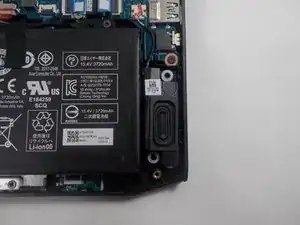
This guide will show you how to replace the speakers in the Acer Nitro 5 AN515-55-55M1 laptop. Faulty speakers can cause issues such as distorted audio, crackling sounds, or complete audio failure. Replacing the speakers restores proper sound output and helps maintain the overall usability of the laptop.
Before beginning, make sure the laptop is completely powered off and disconnected from any power source. This repair requires removing the bottom cover and disconnecting delicate internal cables, so work slowly and carefully to avoid damaging the motherboard or speaker connectors.


-
-
Make sure the device is off and unplugged from power.
-
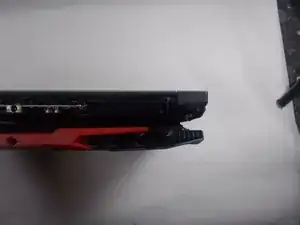
Flip the device so the bottom is facing up.
-
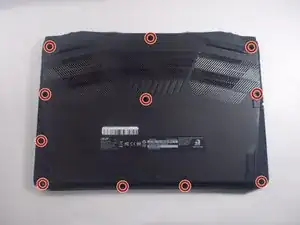
Remove 11 screws from the bottom case using a Phillips #1 screwdriver.
-
-
-
Make sure the laptop is completely powered off and unplugged from any power source. Flip the laptop over so the bottom cover is facing up. Use a Phillips #1 screwdriver to remove the eleven screws securing the bottom cover. Keep track of the screws, as losing one can make reassembly difficult. Screws can also be different lengths.
-
-
-
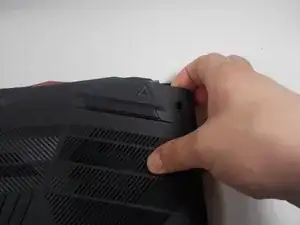
Lift the top left and right corners up and away from the device.
-
Remove the panel from the laptop.
-
-
-
Insert an iFixit opening tool into a gap along one edge of the bottom cover and gently pry upward to release the plastic clips. Work your way around the edges until all clips have released. You may hear loud clicking sounds as the clips disengage, this is normal. Lift the bottom cover away from the laptop and set it aside.
-
-
-
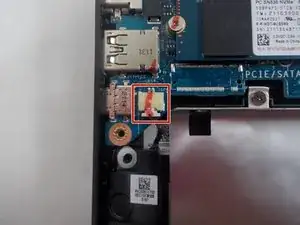
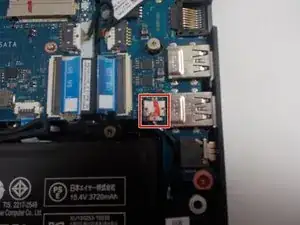
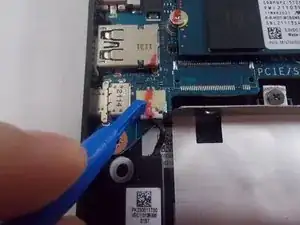
Locate the two speaker connectors on the motherboard. Use and iFixit opening tool to gently pry each connector straight up from its socket. Caution: Potential for device damage. Do not pull on the speaker wires, only apply pressure to the plastic connectors.
-
-
-
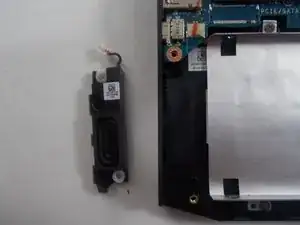
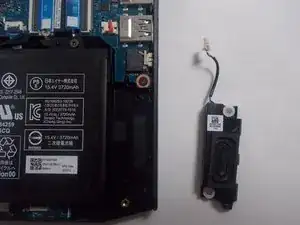
Lift each speaker straight up out of its housing. If any adhesive or tape is securing the speakers, gently peel it back before lifting. Set the speakers aside.
-
To reassemble your device, follow these instructions in reverse order.