
Introduction
Having issues with your volume control buttons? This guide instructs you to on replacing the volume control buttons on your BLU Life XL.


-
-
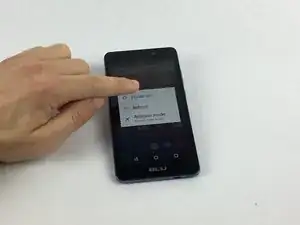
Turn the device off by holding down the power button for up to 5 seconds and then tapping the "Power off" button on the screen.
-
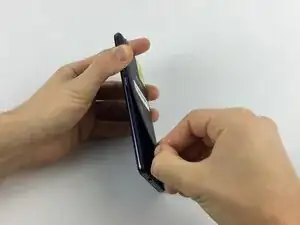
Remove the rear cover using your hands at the lip on the device back cover. No tools required.
-
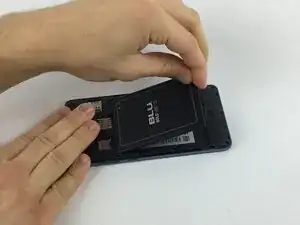
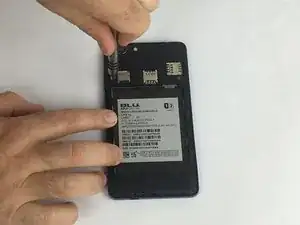
Remove the battery by lifting the lower edge of the battery up first.
-
-
-
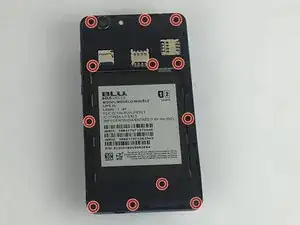
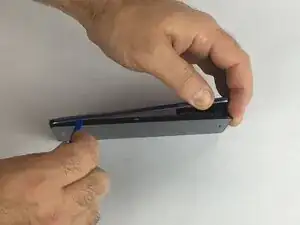
Firmly press the prying tool into the gap between the front glass and rear plate. This gap is located on all sides of the phone.
-
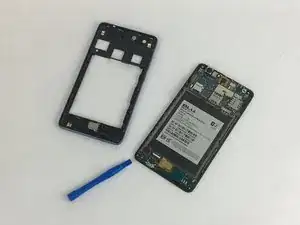
Run the prying tool around the entire phone separating the rear plate from the frame.
-
-
-
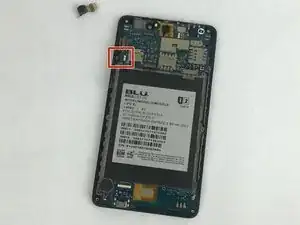
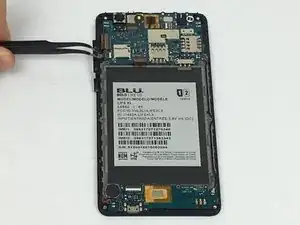
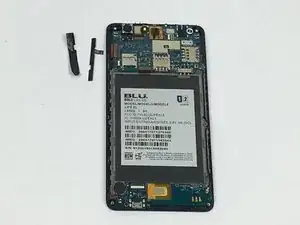
Gently remove the tape covering the volume control buttons. The tape is located near the top left of the cavity for the battery.
-
Replace the component and reapply the tape over the buttons.
-
To reassemble your device, follow these instructions in reverse order.