Introduction
In this guide, you will learn how to safely disconnect the various ribbon cables from the motherboard of your Asus M570D. This step is necessary if you are performing more extensive repairs, e.g., on the motherboard, display, CPU fan, or I/O board.


-
-
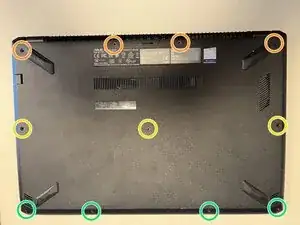
Close the laptop, place it on its lid, and align it as shown in the image
-
There are three different screw lengths:
-
4 x PH1 12 mm (orange)
-
3 x PH1 10 mm (yellow)
-
4 x PH1 7 mm (green)
-
The screws must be reinstalled in the correct position later, otherwise something can be damaged.
-
Take out the screws and sort them by length.
-
-
-
Turn the device over and open it.
-
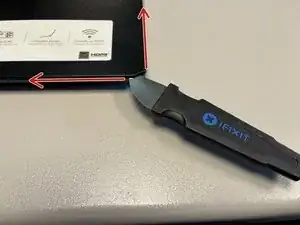
Carefully insert the Jimmy into the gap between the case and the keyboard at the lower right corner of the keyboard.
-
From this position, work your way forward by levering alternately to the left and up until the keyboard is loose on the case.
-
-
-
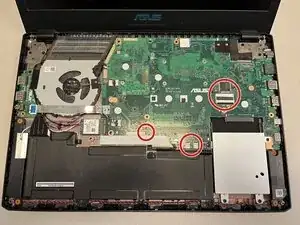
There are 4 cables that must be removed!
-
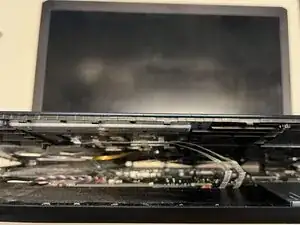
Carefully open the keyboard under the touchpad, move it in the direction of the screen.
-
Use the spudger to lift the black lock on the ribbon cable and carefully pull out the cable. Repeat this for each one of the four ribbon cables.
-
-
-
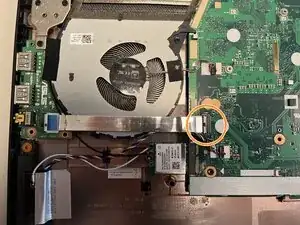
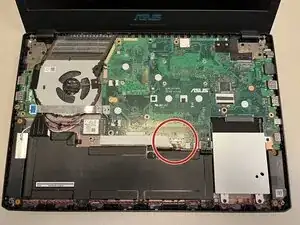
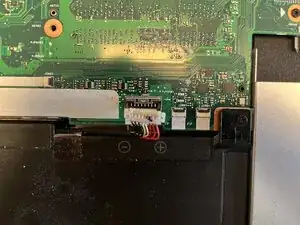
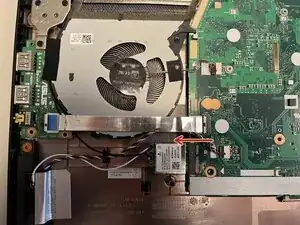
Locate the battery connector.
-
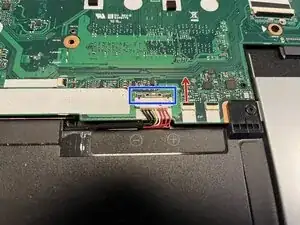
Carefully slide the metal clip (marked blue in the picture) upwards to unlock the connector.
-
Use the spudger to lift the white connector upwards.
-
Follow the steps in reverse order to reassemble your device.