Introduction

  1. QmWpE5VDbpJHRVHX
    QmWpE5VDbpJHRVHX
    VIThqU6nUEBktuNG
    FOUWZa2FB46MQPNi
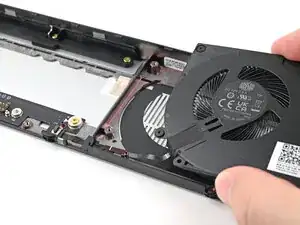
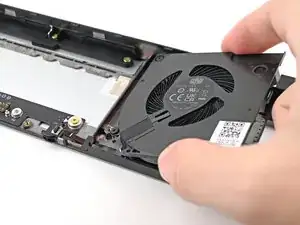
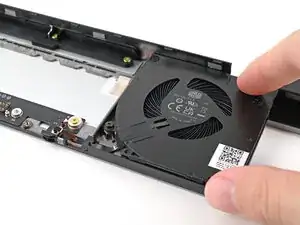
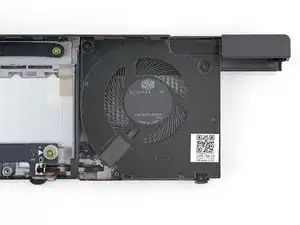
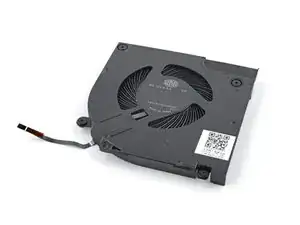
    • Place the fan onto the Expansion Bay Shell, making sure to thread the cable through its slot.

  2. bliKik1eSUAn4GOQ
    bliKik1eSUAn4GOQ
    f3jTQOPsMsTiuPE5
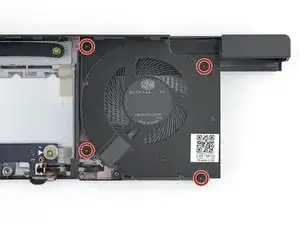
    • Use your Framework Screwdriver to tighten the four captive Torx T5 screws securing the fan.

  3. DmpBaRYYcIQYAsZd
    DmpBaRYYcIQYAsZd
    nYO2ZQp1Wsyk6od3
    fQBYBEM5tDUSURta
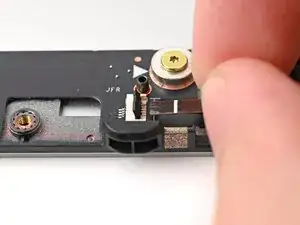
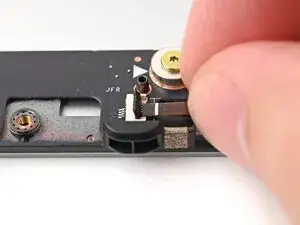
    • Use your fingers to grip the brown pull tab and slide the fan cable straight into its socket.

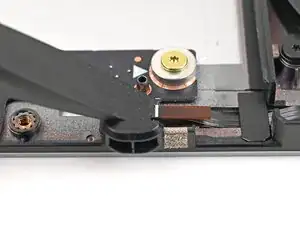
    • Use the flat end of your Framework Screwdriver, or a clean fingernail, to press down the locking tab on the right fan ZIF connector.

Conclusion

To reassemble your device, follow these instructions in reverse order.

Take your e-waste to an R2 or e-Stewards certified recycler.

Repair didn’t go as planned? Try some basic troubleshooting, or ask our Answers Community for help.

Alex Diaz-Kokaisl

Member since: 16/01/22

215075 Reputation

0 comments