Introduction

  1. ABXuFUSIPXeffNCI
    ABXuFUSIPXeffNCI
    Ifyko3VSnOaDALNy
    DaCTpavK6QoMlkAn
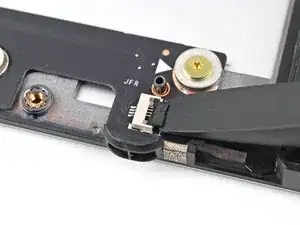
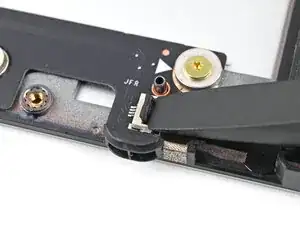
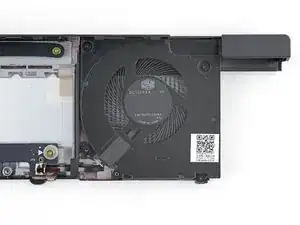
    • Use the flat end of your Framework Screwdriver, or a clean fingernail, to lift up and release the locking tab on the fan ZIF connectors.

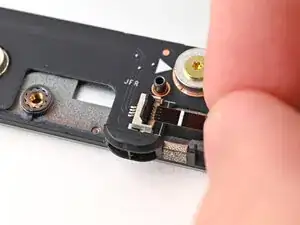
    • Use your fingers to grip the brown pull tab and slide the fan cable straight out of its socket.

  2. xl3rhSGBKyZPKPvI
    xl3rhSGBKyZPKPvI
    b5Po5YZWyxAeUpiy
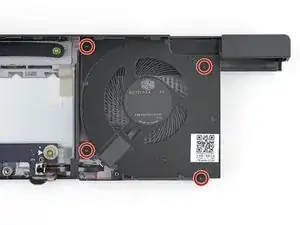
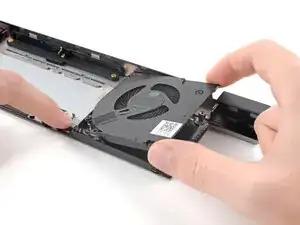
    • Use your Framework Screwdriver to loosen the four captive Torx T5 screws securing the fan.

  3. mBGNKeHEPLPxPPq3
    mBGNKeHEPLPxPPq3
    UAixTmQTlJ24hTqQ
    iEvOn2RFRrwILkfA
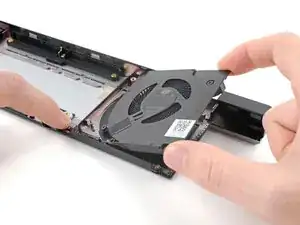
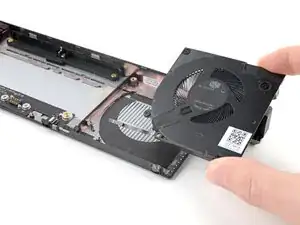
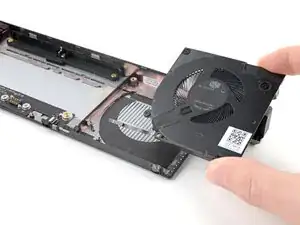
    • Use one hand to press the fan cable flat to the module.

    • Use your other hand to pull the fan out of its housing, making sure to thread the cable through its slot.

Conclusion

To reassemble your device, follow these instructions in reverse order.

Take your e-waste to an R2 or e-Stewards certified recycler.

Repair didn’t go as planned? Try some basic troubleshooting, or ask our Answers Community for help.

Alex Diaz-Kokaisl

Member since: 16/01/22

215075 Reputation

0 comments