Introduction
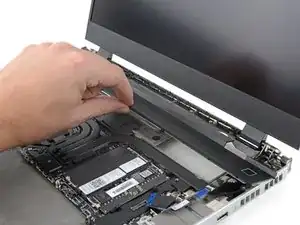
Prereq for removing the ventilation plate with the fingerprint sensor attached.


-
-
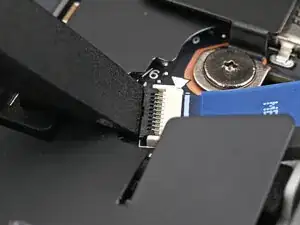
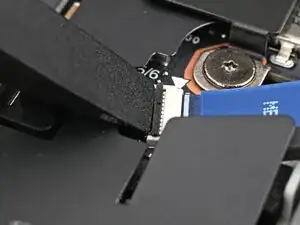
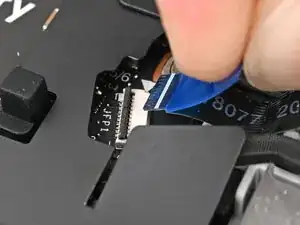
Use the flat end of your Framework Screwdriver, or a clean fingernail, to lift up the locking tab on the fingerprint reader ZIF connector next to the memory.
-
-
-
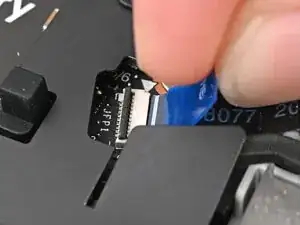
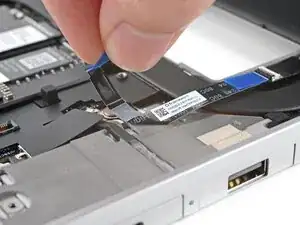
Use your fingers to grip the blue pull tab and slide the fingerprint reader cable straight out of its socket.
-
-
-
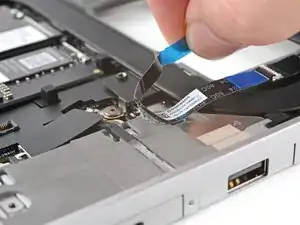
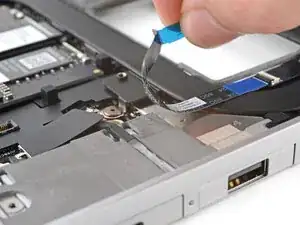
Use your fingers to peel the fingerprint reader cable away from the frame and separate the adhesive.
-
-
-
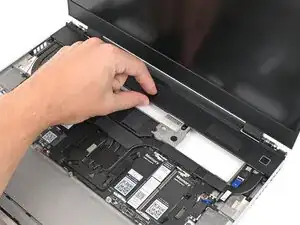
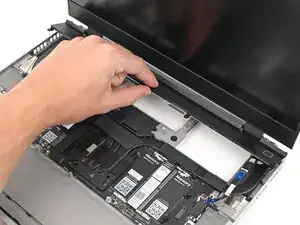
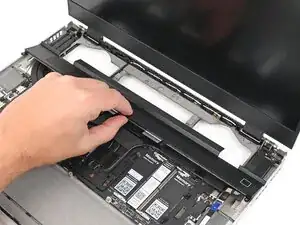
Lift the bottom of the ventilation plate and pull it away from the laptop until the magnets release.
-
Remove the ventilation plate.
-
Conclusion
To reassemble your device, follow these instructions in reverse order.