Introduction
This guide assists in the replacement of the two internal speakers on an HP Chromebook 11 G6 EE. The two internal speakers of the HP Chromebook 11 G6 EE are made of a magnet, a coil of wire, and a diaphragm, often surround with a case that's made of plastic. Damage can be taken by physicaly dropping or spilling liquid on the Chromebook, which can cause damage to the audio and create a poor experience when listening to video or music. By repairing the speakers can restore the sound quality of the audio and prevent further damage to the Chromebook.
This guide will take you step by step to remove the different parts, look inside the Chromebook, and repalcing the two speakers. No special skills are required in these procces, but patience and carefulness.


-
-
Lift up the keyboard part way, being careful to not put stress on the keyboard and touchpad ribbon cables.
-
-
-
Lift up the keyboard part way, being careful to not put stress on the keyboard and touchpad ribbon cables.
-
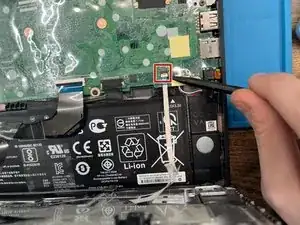
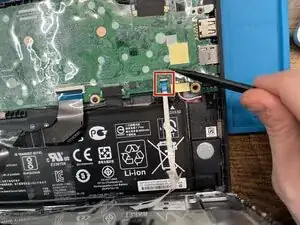
Disconnect the keyboard ZIF connector
-
-
-
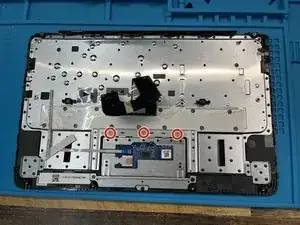
Lift up the plastic guard covering the three PH0 M2x2 screws and remove them.
-
Lift the touchpad out and place into new keyboard.
-
-
-
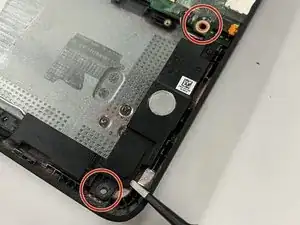
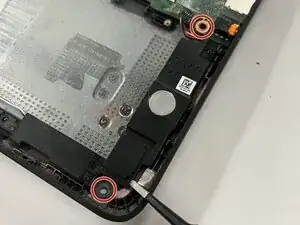
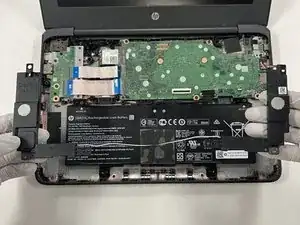
Use a Phillips #1 screwdriver to remove the two 7 mm screws from both sides of each speaker unit.
-
Lift the speakers from the laptop frame.
-
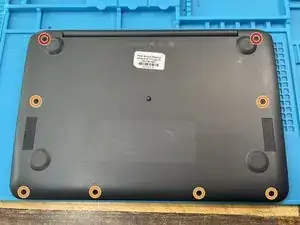
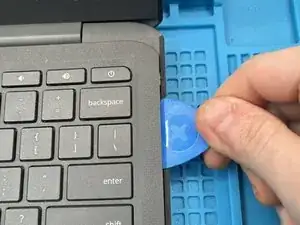
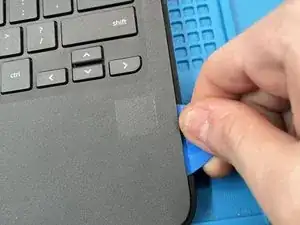
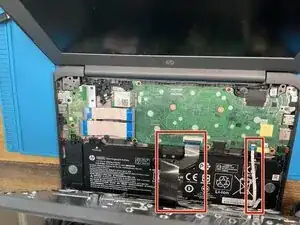
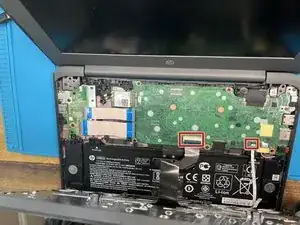
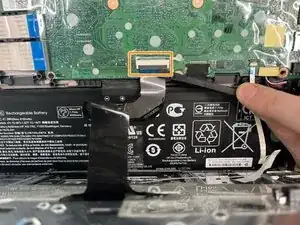
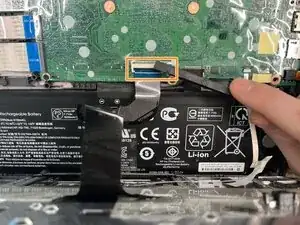
To reassemble your device, follow these instructions in reverse order. Taking the battery out is optional but we have included it as a reference.