Introduction
-
-
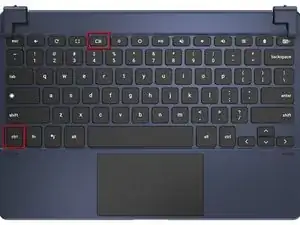
On the top row of the keyboard, press the (PRTSCR) key on the Chromebook to take a screenshot.
-
Another method for taking a screenshot is CTRL + Window Switch Key
-

On the top row of the keyboard, press the (PRTSCR) key on the Chromebook to take a screenshot.
Another method for taking a screenshot is CTRL + Window Switch Key