Introduction
-
-
To use the Chromebook offline, you must first set it up completely using the Internet.
-
You need to add files to the offline mode first so you can use them offline.
-
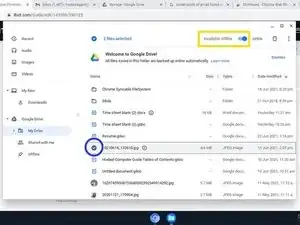
In order to add files to offline mode, click on the files and in the menu section, click on Available Offline (it turns blue).
-
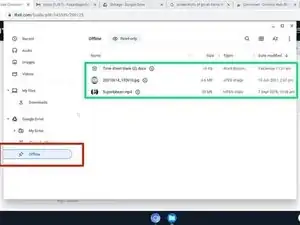
On the left hand section of the window, click on the bottom where it says: Offline and the files you've added there will be available for (off-line) use
-