Introduction


-
-
Turn off your device completely and disconnect it from the power supply.
-
If there is an SD card in the SD card slot, remove it to make it easier to open the device.
-
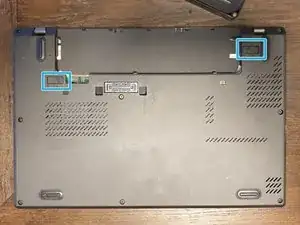
Remove the externally accessible battery.
-
-
-
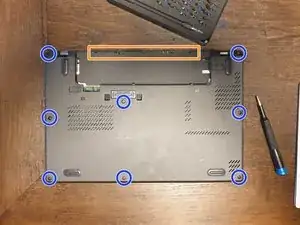
Take a Phillips PH1 screwdriver and use it to loosen the 8 screws that secure the bottom of the case.
-
These are captive screws, meaning they can only be loosened but not removed.
-
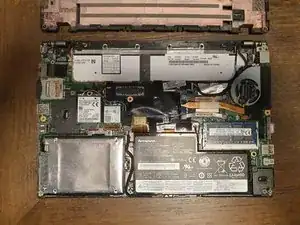
Carefully pry the case apart on the other sides where there are no clips. Then run a pick along the gap to release the clips. This may make a loud cracking sound.
-
Remove the bottom case and set it aside.
-
Conclusion
Follow the steps in reverse order to reassemble your device.