Introduction
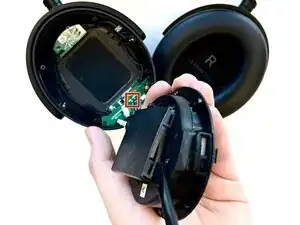
Use this guide to replace the left driver assembly in a Sennheiser Momentum 4.
This guide requires soldering. If you're unfamiliar with soldering, review the How to Solder and Desolder Connections guide and take appropriate precautions before beginning.


-
-
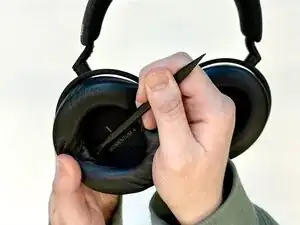
Insert a spudger into the seam between the left ear pad and driver assembly.
-
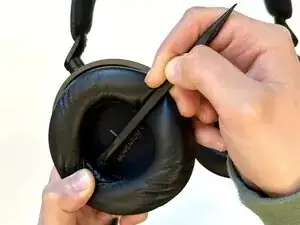
Gently pry around the perimeter of the ear pad until it fully releases.
-
Remove the left ear pad.
-
-
-
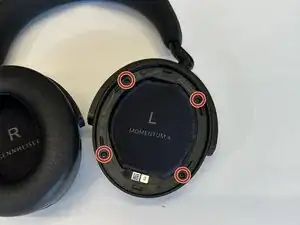
Use a Phillips #00 screwdriver to remove the four 6.5 mm screws that secure the left driver housing.
-
-
-
Insert the flat end of a spudger into the driver housing seam.
-
Gently pry the driver housing up and out, with care not to strain or damage the connected cables.
-
-
-
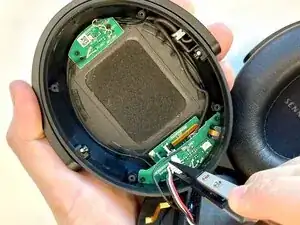
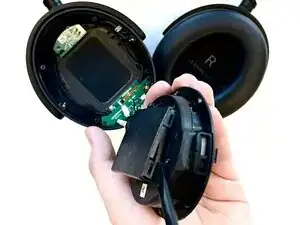
Carefully lift away the driver housing out and flip it over to reveal the battery cover.
-
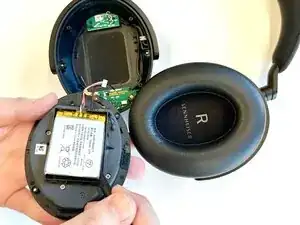
Use tweezers to pull the white battery connector directly out of the daughterboard socket.
-
-
-
Use the flat end of a spudger to pry open the retaining clips on the battery cover and remove it carefully.
-
-
-
Insert the flat end of a spudger between the lower edge of the battery and the battery housing.
-
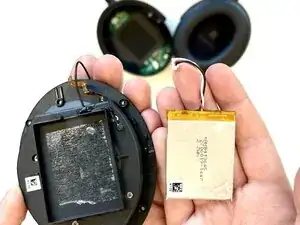
Gently lift the battery upward to release the adhesive that secures the battery.
-
Remove the battery.
-


To reassemble your device, follow the above steps in reverse order.
Take your e-waste to an R2 or e-Stewards certified recycler.
Repair didn’t go as planned? Try some basic troubleshooting or ask our Answers community for help.